
There are 3 ways to update Blood to latest version:
- In the GUI (local mode only)
- BLOOD checks for updates on startup and every 6 hours. To check manually, click the download icon in the title bar.
- When an update is available, click the download icon, then click Download update.
- Click Restart now to start the new version. If you click Later, the new version starts on your next launch.
- Via dashboard - https://dashboard.blood-solutions.com/dashboard

- In-bot update (CLI)
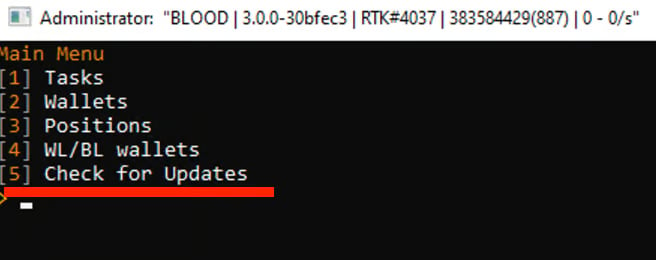
Update an external instance on the machine where it runs. The GUI can’t update it remotely.