Bot stopped working and has “Connected ❌” in topbar
Windows Defender deleted CORE.EXE in working directory. To avoid it,- open
Settingsand searchwindows security - Click on
Security at a glance
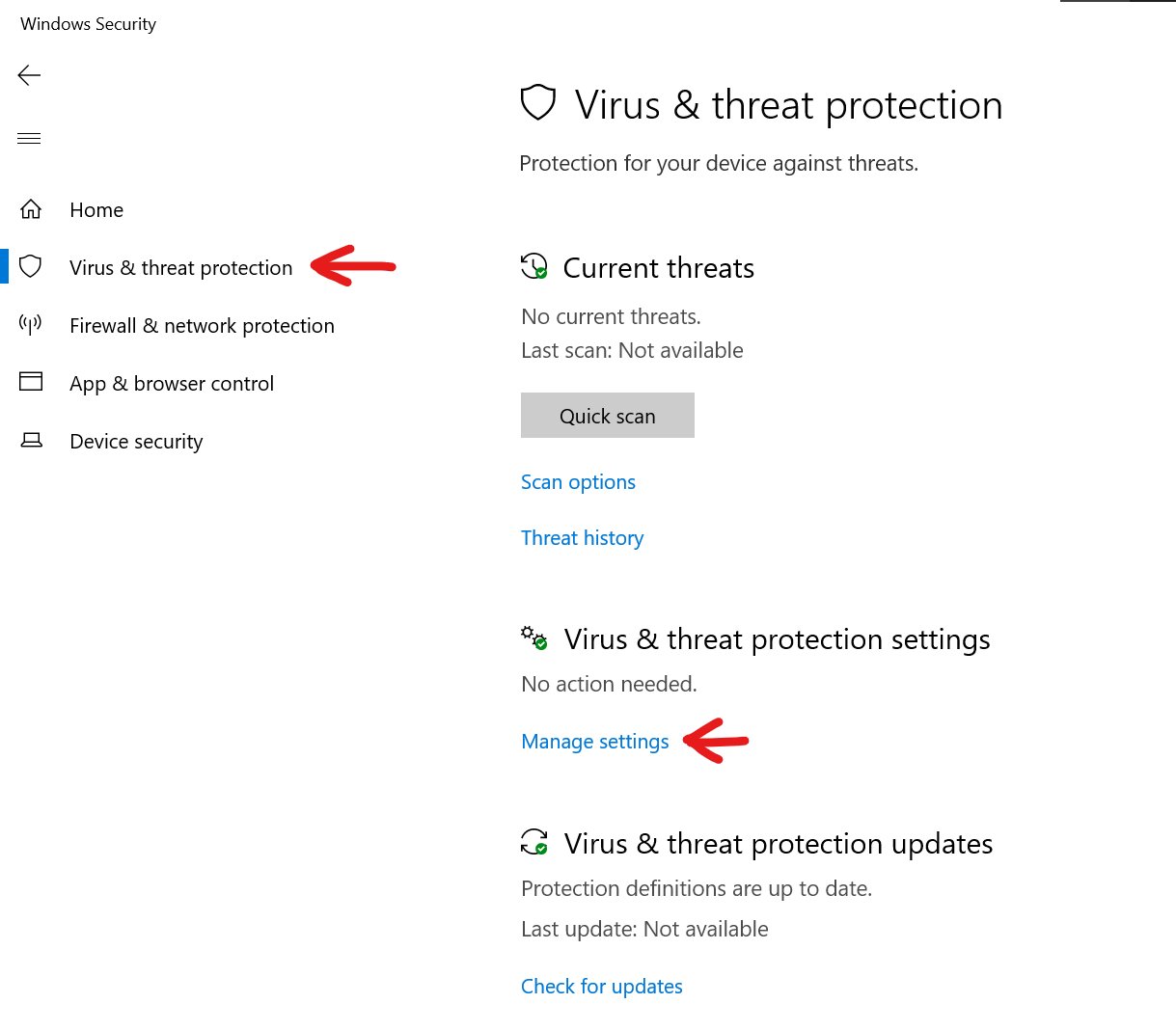
- Click
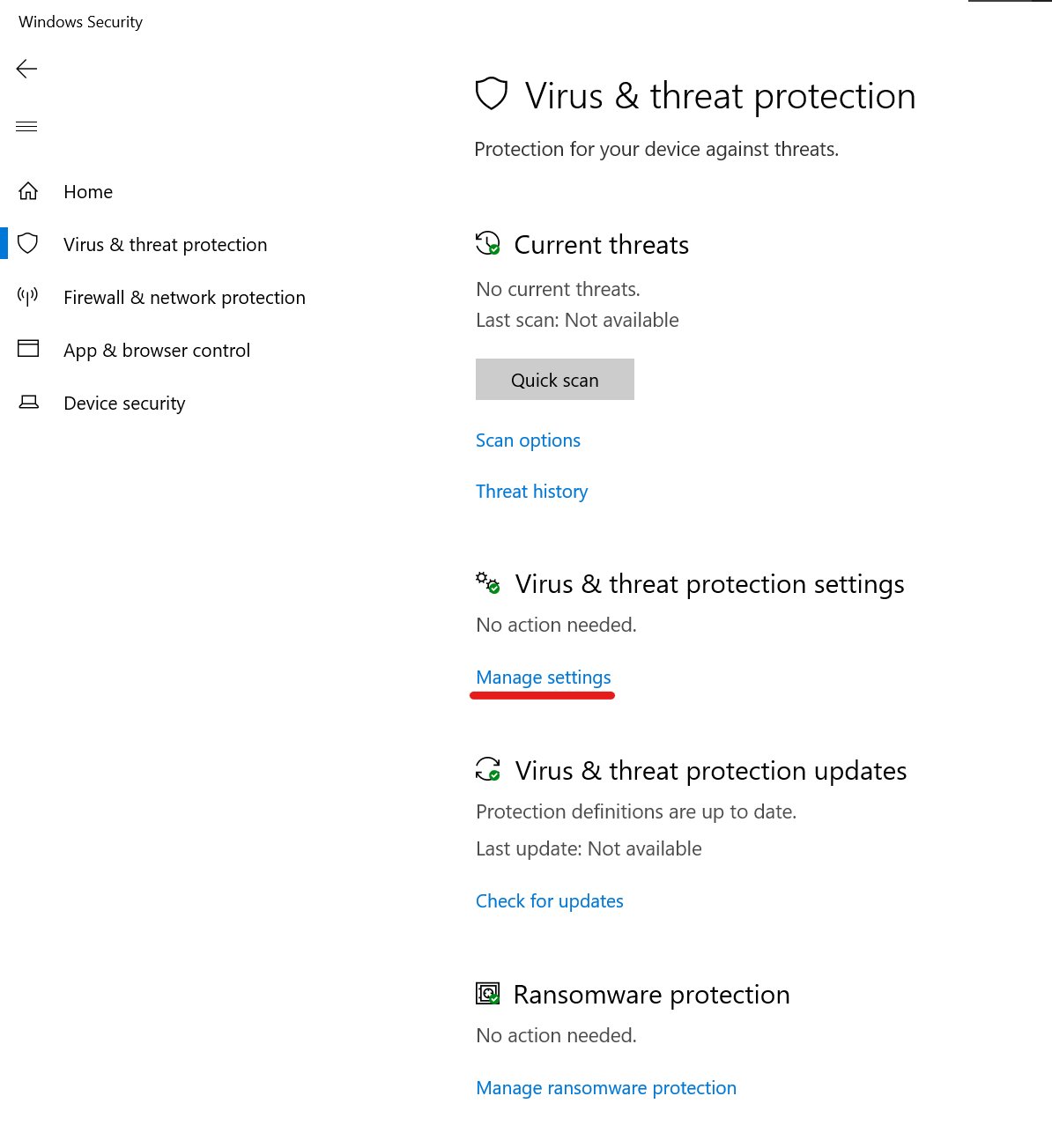
Virus & threat protection. Head toManage settings
- Сlick
Add or remove exclusions
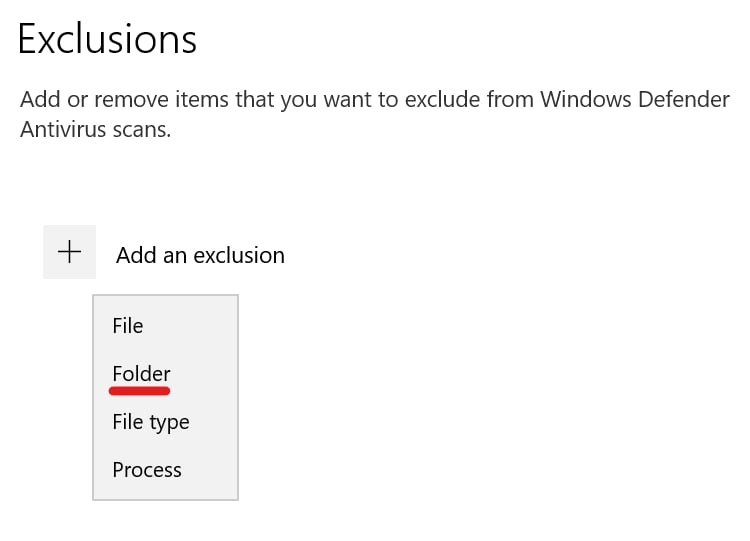
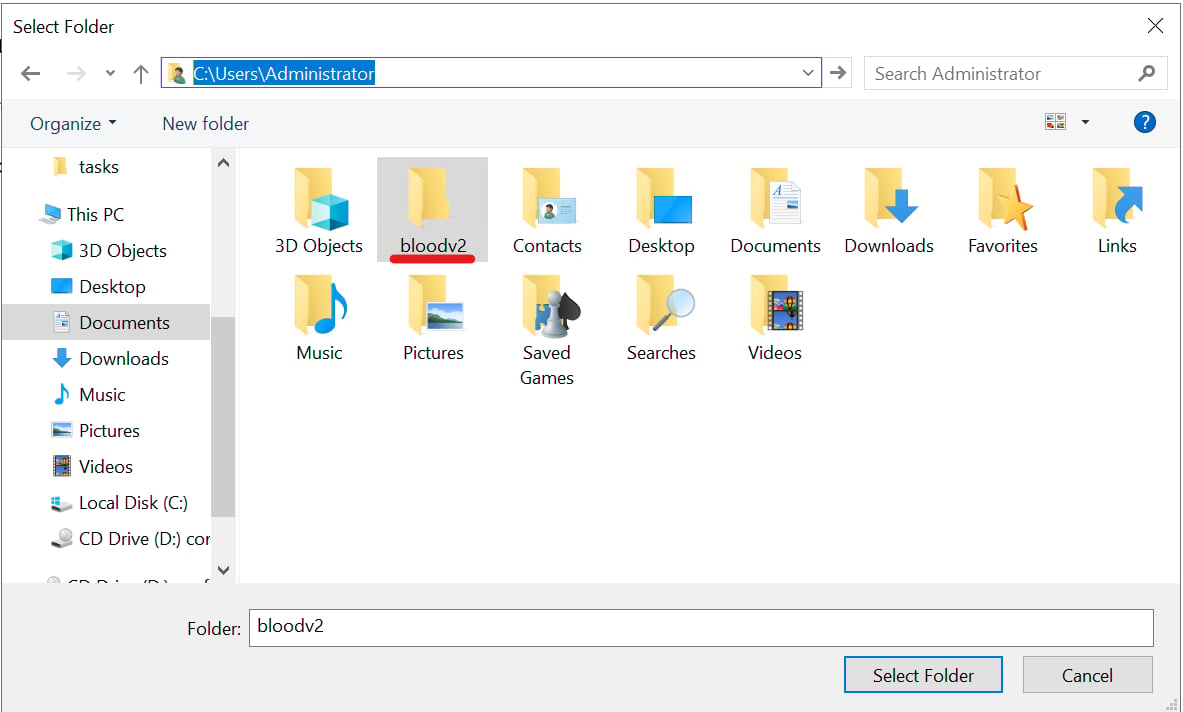
- Put
C:\Users\Administratorinto path, click onbloodv2and pressSelect folder. Enjoy!
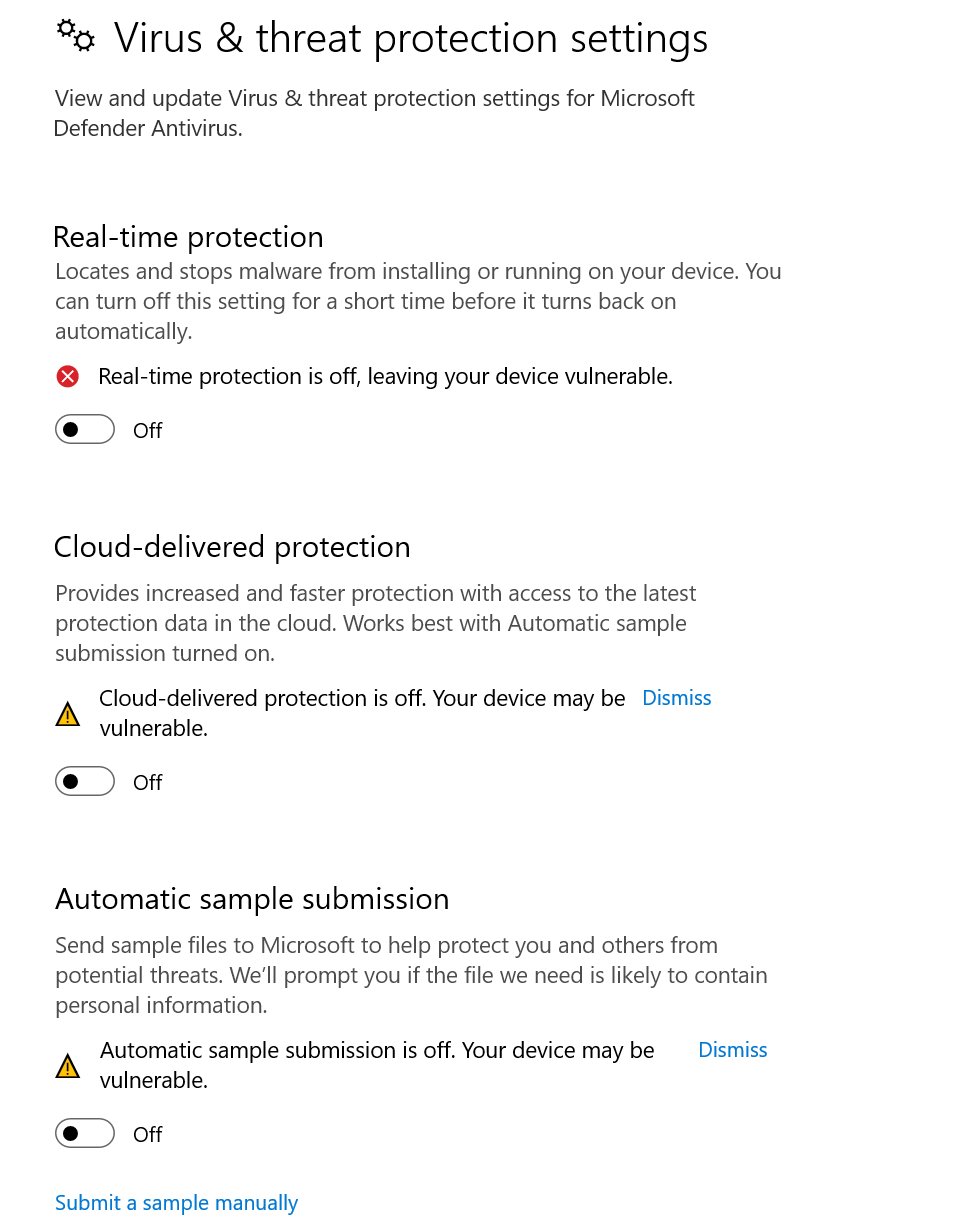
If you still have problems, make sure to do this
Make sure to have these settings turned off